Make it yours.
Personal palettes, backgrounds, and saved themes. An interface that feels like your space.
Meet Saturn. A considered interface for MM2 and Urban Reload, with your access, preferences, and music in one place.
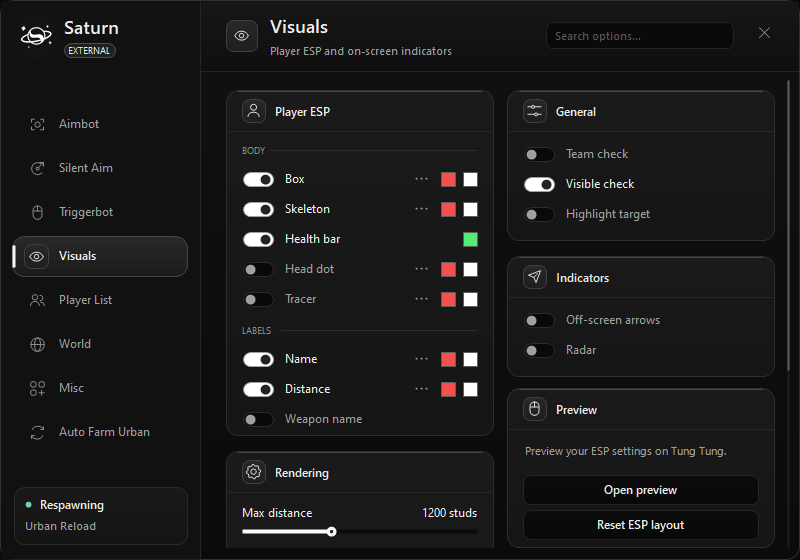
Your Urban Reload workspace
A dedicated MM2 workspace
Made to feel consistent, from the first sign-in to the smallest setting.
Personal palettes, backgrounds, and saved themes. An interface that feels like your space.
Album art and Spotify media controls stay close, without another window to manage.
One dashboard for your license, application download, and account. No searching through old messages.
After a verified payment, your lifetime key is sent to your checkout email. Payment and email delivery must be connected before purchases open.
Create your account with a username, a 4–28 character password, and your key. Existing Saturn accounts work on the website too.
The current build offers Urban Reload and Murder Mystery 2. Features depend on the game and supported Roblox build.
The Saturn application is for Windows. You can use this website on your phone to view account information.
A lifetime license has no scheduled expiry. Each key is redeemed by one account. Owners can revoke a license.
Self-service password recovery is not available yet. Keep your account details privately recorded.